
Figma plugin
The Hexorcist
Drives the hard-coded colours out of your file and binds them into variables, with Light and Dark modes.

Figma plugin
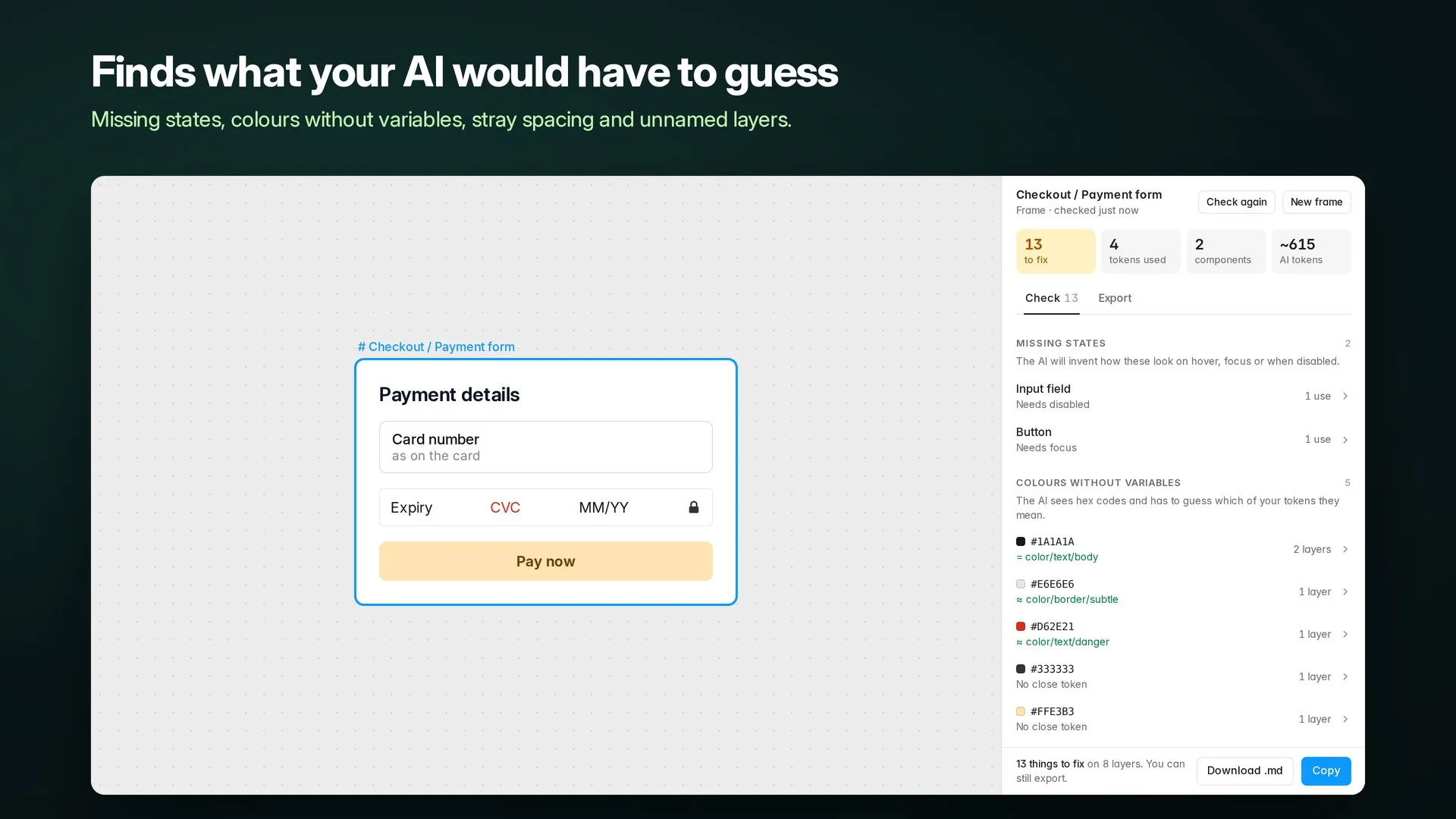
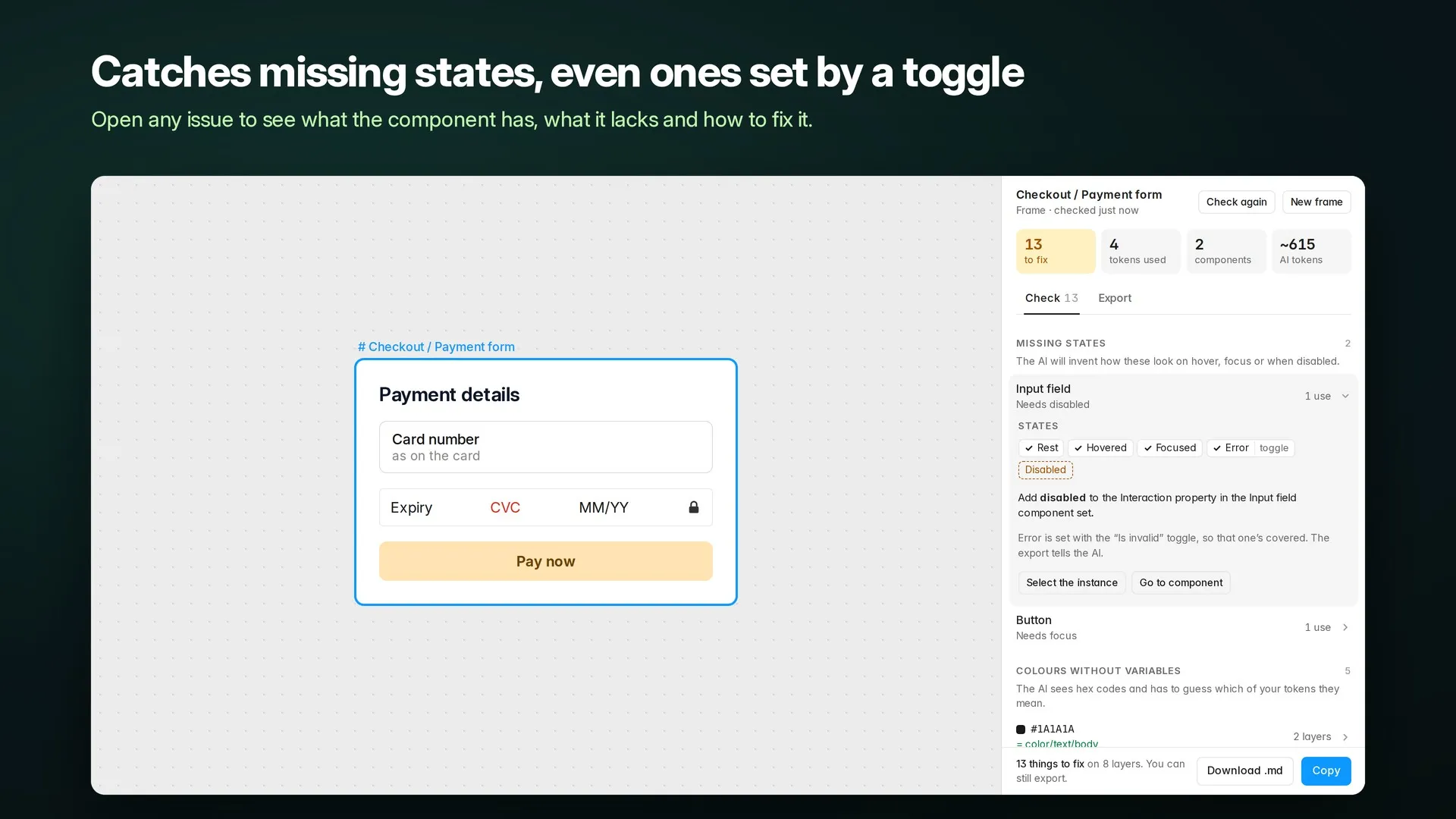
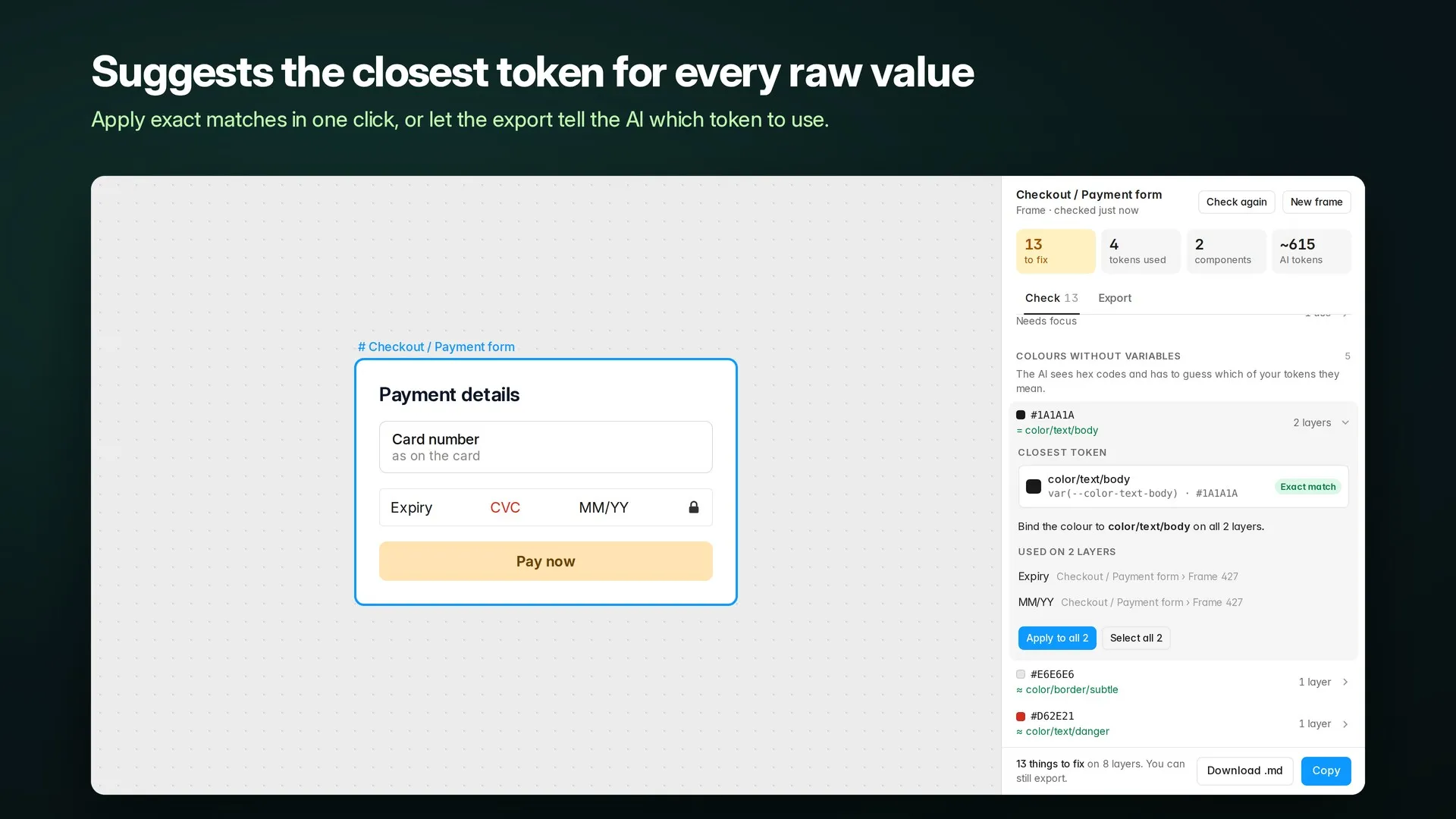
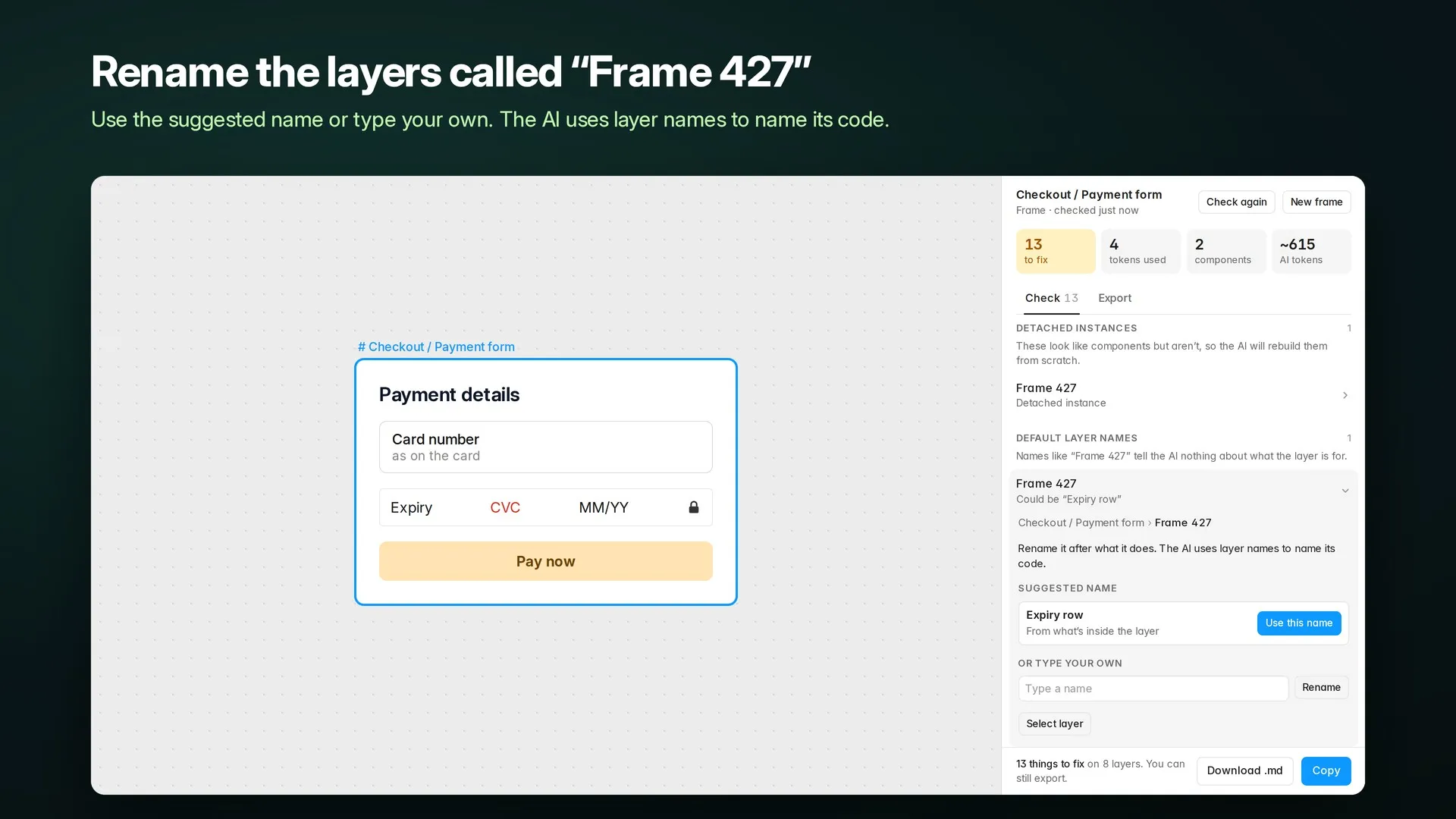
Checks a frame for everything an AI would have to guess, then hands it over as one markdown file.
$8
In the workshopChecking is free on any frame, and your first frame's export is free too. $8 once after that, paid in Figma.
Not out yet. AI Handover is still being made in the workshop. Follow Figmatro on Figma to hear when it lands.
Figma plugins are bought inside Figma, so payment, receipts and refunds go through Figma's checkout. How plugin payments work
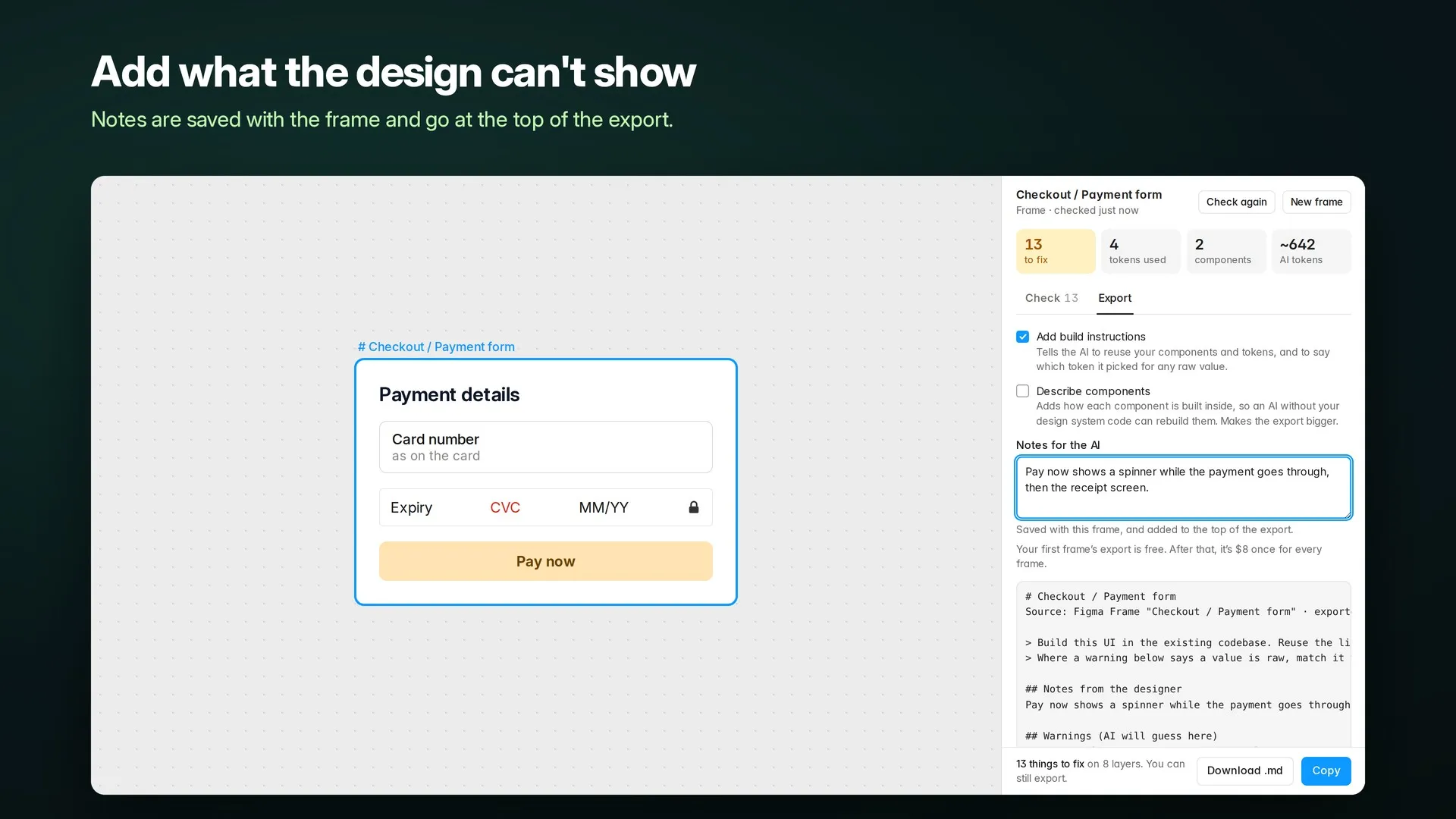
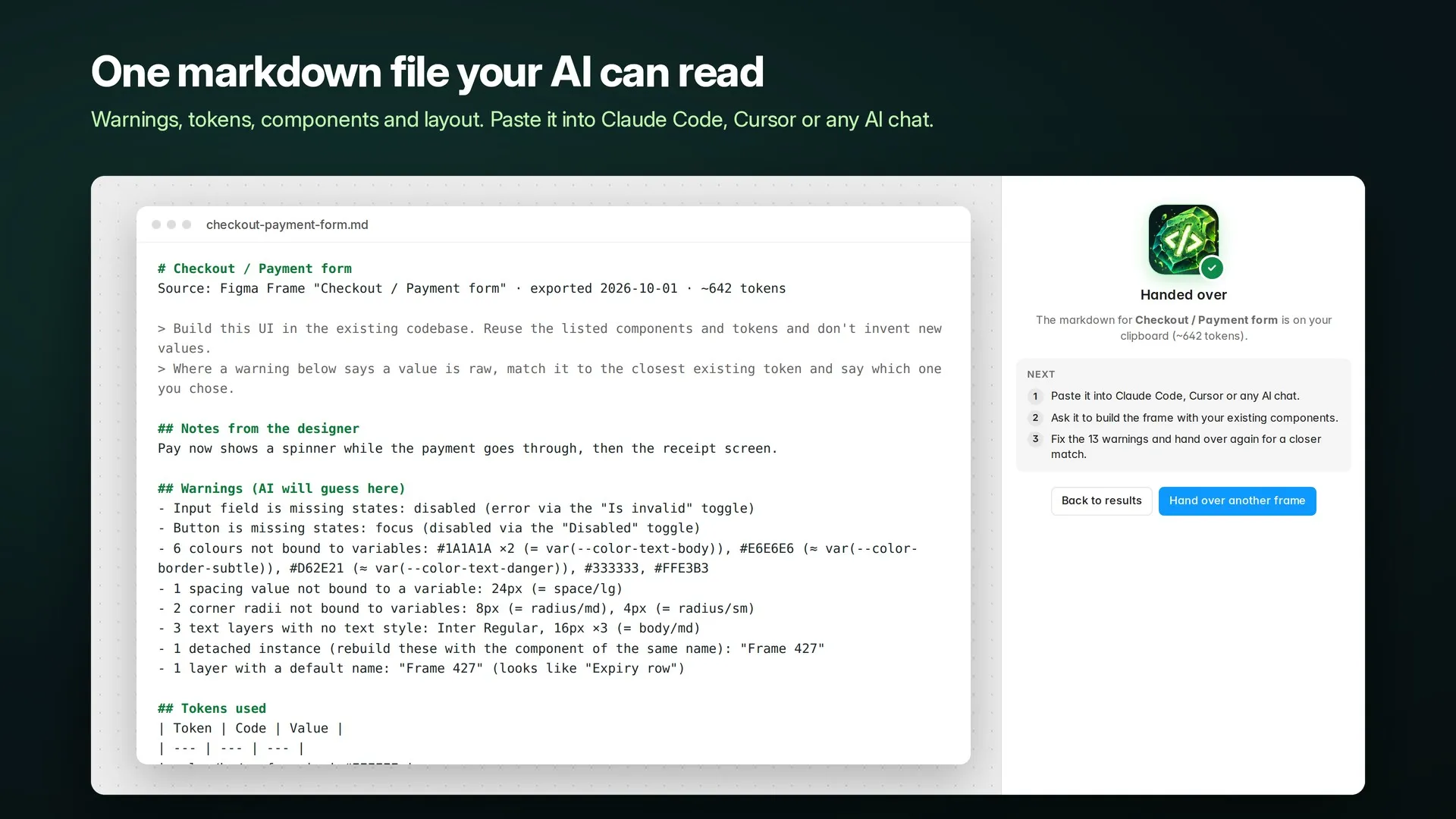
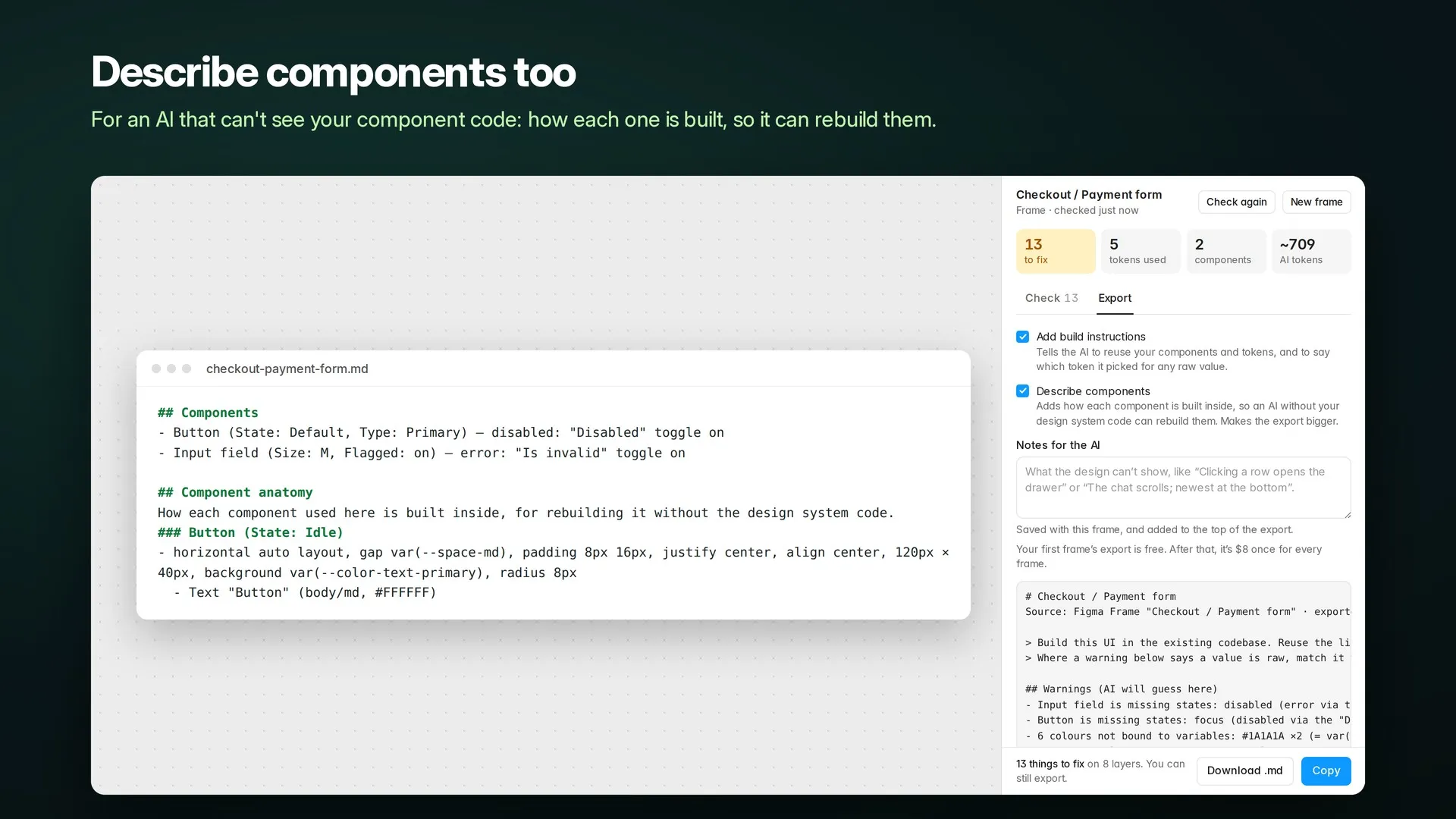
AI Handover gets a Figma frame ready for Claude Code, Cursor or any AI chat. It checks the frame for everything an AI would have to guess, then writes the whole frame up as one markdown file the AI can build from.
Scroll sideways for more. Open any screenshot to see it full size.

Current version: 1.1
Figma plugin
Drives the hard-coded colours out of your file and binds them into variables, with Light and Dark modes.

Figma plugin
Stitches a messy file's spacing, radius and type into variables and text styles.

Figma plugin
Wraps every page of a Figma file into one PDF, with bookmarks. Or a PDF per page.