
Figma plugin
Frankenstyle
Stitches a messy file's spacing, radius and type into variables and text styles.

Figma plugin
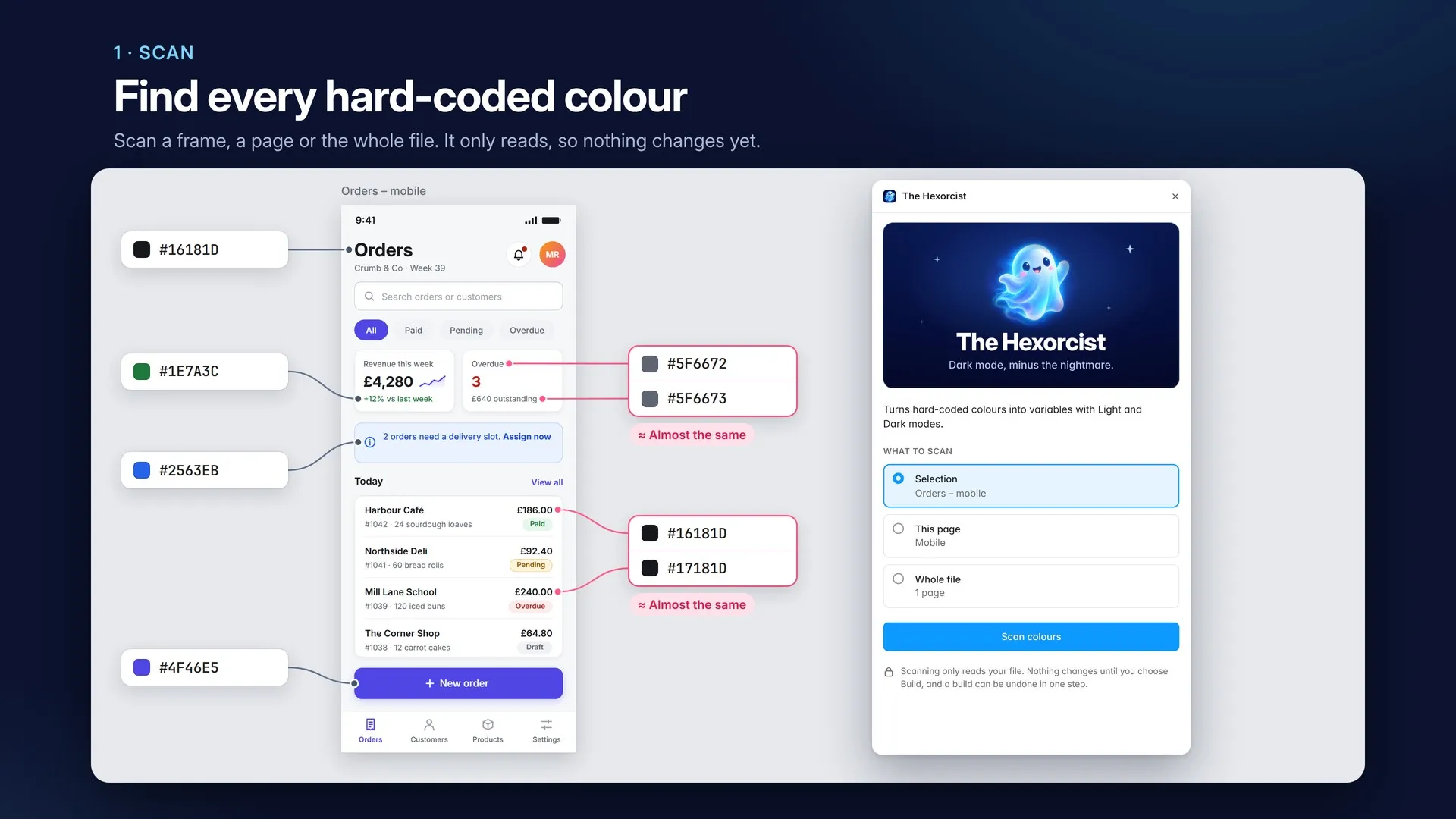
Drives the hard-coded colours out of your file and binds them into variables, with Light and Dark modes.
$8
Available nowFree for one frame, or any build with up to 12 colours. One-off payment, paid in Figma.
Get it on Figma Community (opens in a new tab)Figma plugins are bought inside Figma, so payment, receipts and refunds go through Figma's checkout. How plugin payments work
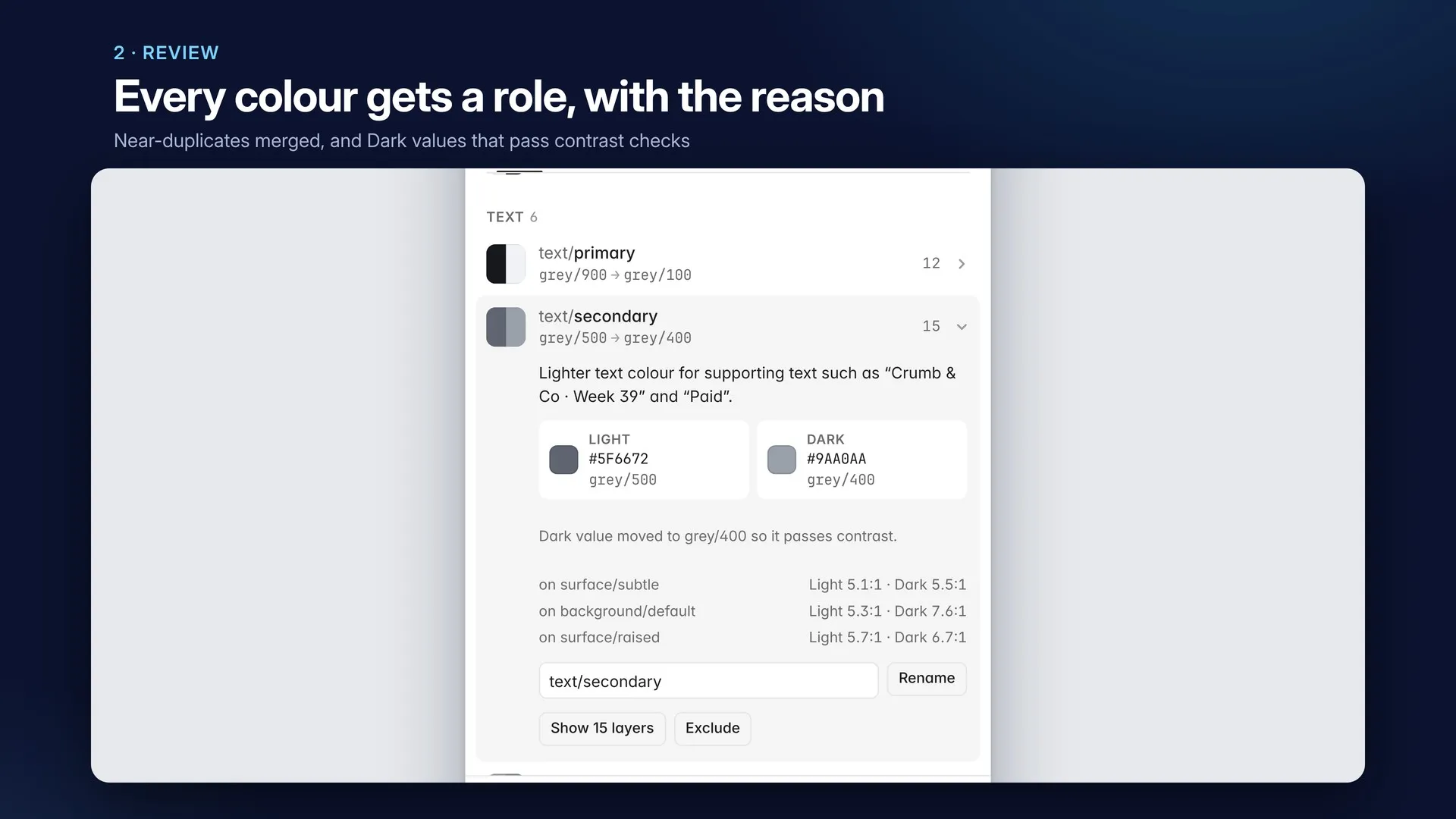
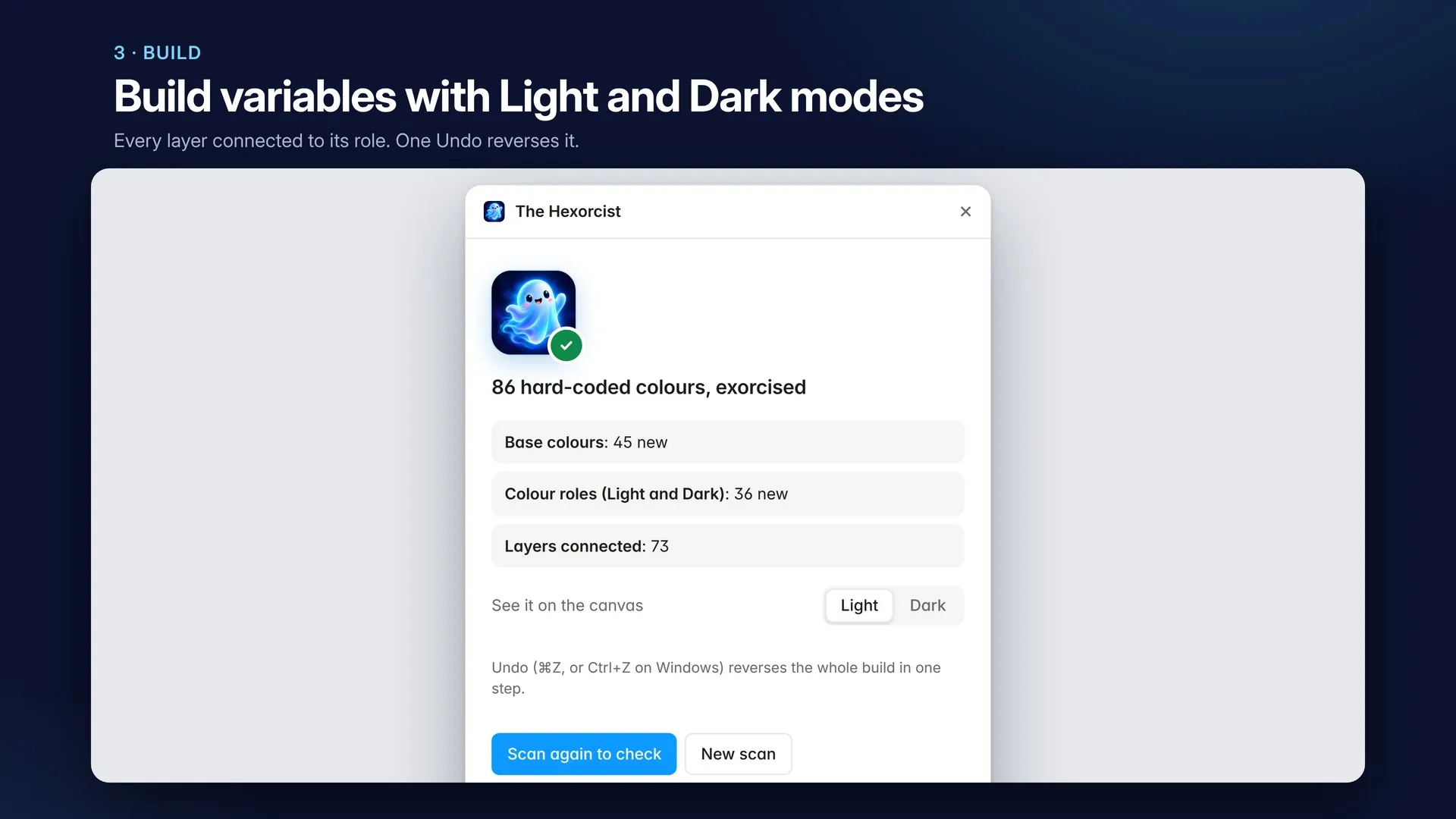
The Hexorcist turns the hard-coded colours in your file into a variable system you keep: named colour variables with Light and Dark modes, connected to every layer.
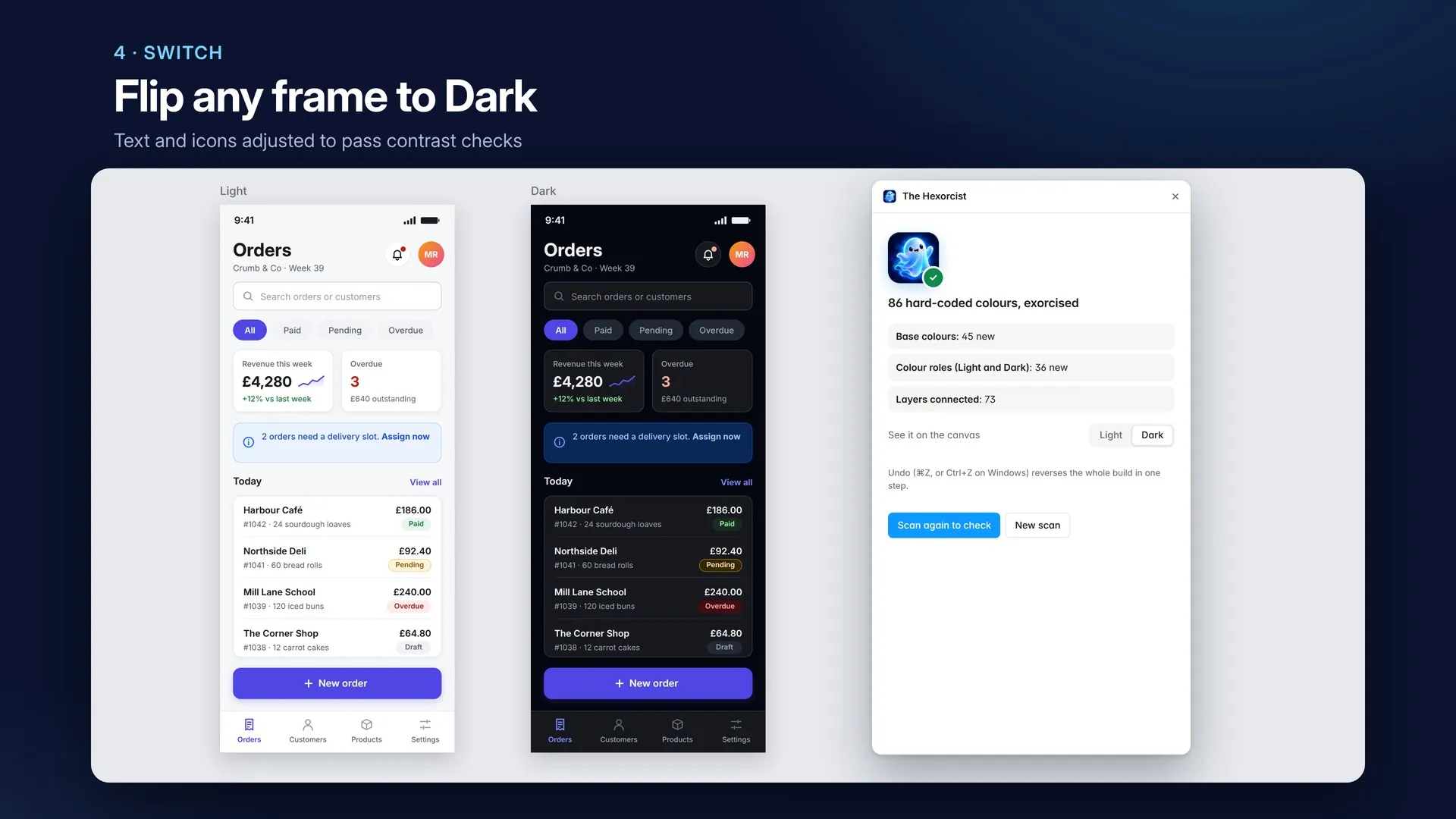
It isn’t a recoloured copy of your screens. The variables stay in your file after the plugin closes, and any frame can switch between Light and Dark in Figma’s right-hand panel.
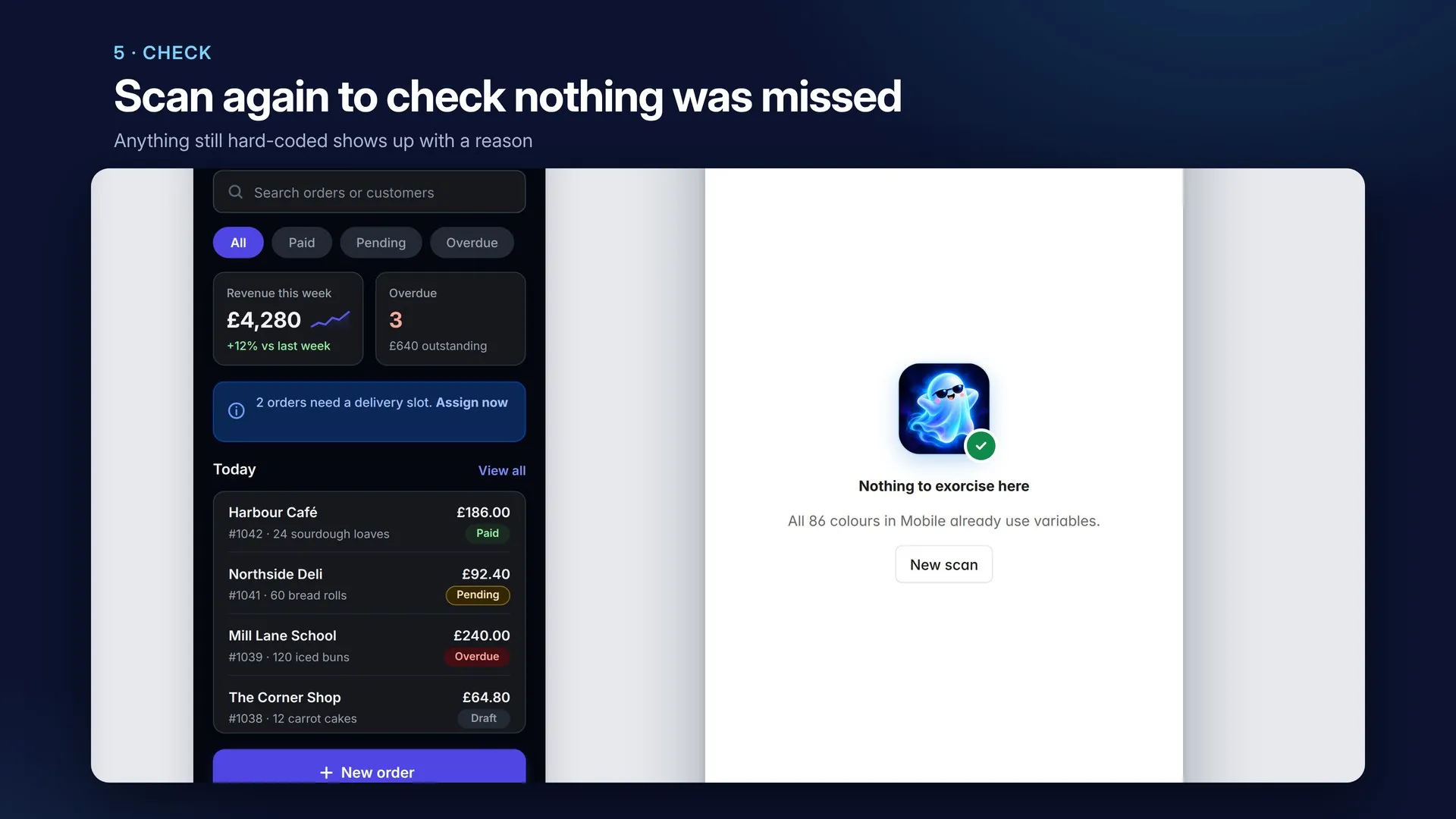
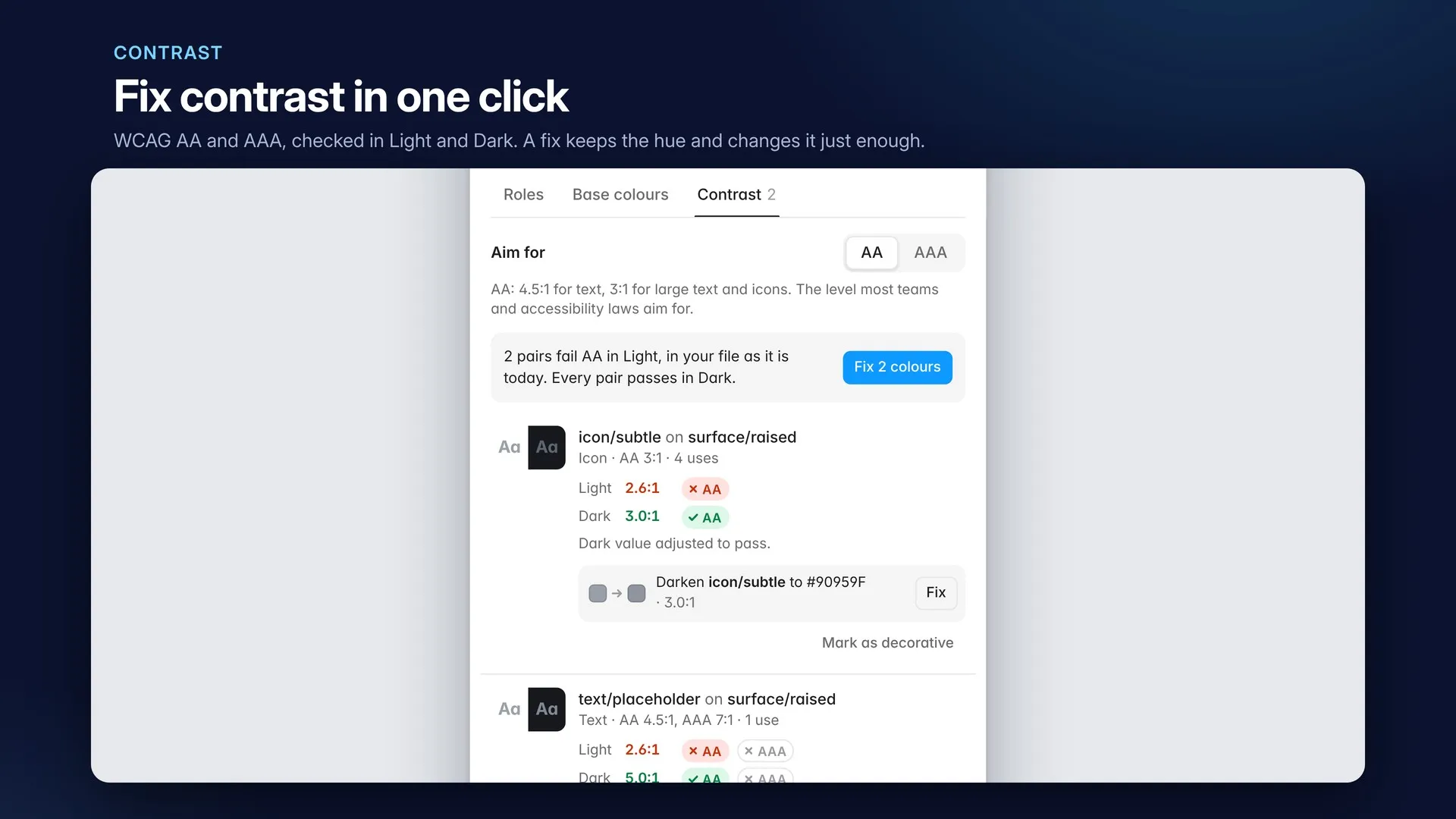
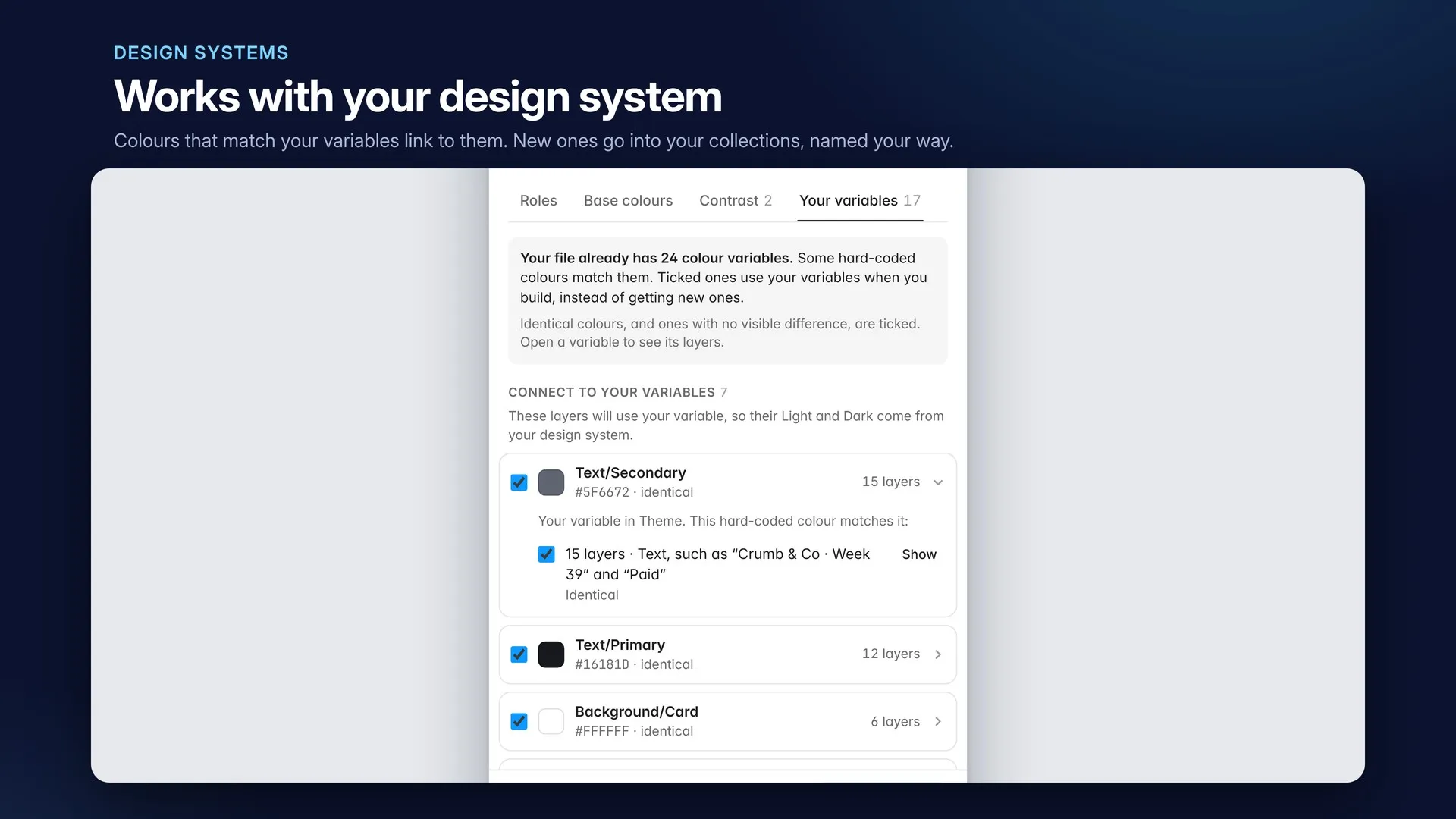
text/secondary, and the reason it was chosen. Dark values are suggested for you.Scroll sideways for more. Open any screenshot to see it full size.

Current version: 1
First release.
Figma plugin
Stitches a messy file's spacing, radius and type into variables and text styles.

Figma plugin
Checks a frame for everything an AI would have to guess, then hands it over as one markdown file.

Figma plugin
Wraps every page of a Figma file into one PDF, with bookmarks. Or a PDF per page.